Modernizing Desktop Applications: A Guide to Overcoming Legacy Challenges
This article summarizes a comprehensive best practices guide on modernizing desktop applications, drawing from insights into needs, challenges, strategies, and vendor solutions.

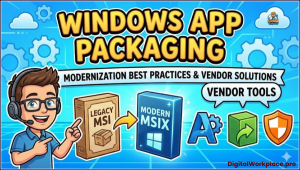 Organizations worldwide are grappling with the need to update their aging Windows applications.
Legacy software, often built on outdated frameworks like Win32 or .NET Framework, can hinder productivity, expose vulnerabilities, and inflate maintenance costs.
By adopting structured approaches, businesses can enhance security, performance, and user experience while aligning with modern IT ecosystems.
Legacy Applications
Legacy applications form the backbone of many enterprises but increasingly fall short of contemporary expectations. Users demand intuitive interfaces that work seamlessly across devices, from desktops to mobiles. However, older apps often feature clunky UI/UX designs rooted in obsolete standards, leading to frustration and reduced efficiency.
Security looms as a major concern: unpatched libraries and frameworks in legacy systems make them prime targets for cyber threats, complicating compliance with stringent regulations such as GDPR or HIPAA. Performance issues further compound the problem, as these applications struggle with high workloads or integration into cloud environments. Maintenance becomes a financial drain due to accumulating technical debt and a shrinking pool of experts familiar with antiquated technologies.
The imperative for modernization is clear. It enables better integration with cloud services, APIs, and DevOps practices, fostering business agility.
With Microsoft phasing out support for older operating systems and frameworks, running unsupported software invites risks like data breaches or operational failures.
Modernization not only mitigates these dangers but also cuts long-term costs, boosts scalability, and supports broader digital goals. For instance, transitioning to cloud-native architectures can streamline operations in remote work scenarios, which have become the norm post-pandemic.
Modernization Challenges
Yet, the path to modernization is fraught with obstacles. Legacy codebases are typically monolithic, tangled, and poorly documented, turning refactoring into a Herculean task.
Compatibility woes emerge when apps rely on deprecated APIs incompatible with Windows 11 or later. Resource limitations—budgetary constraints and a scarcity of developers versed in both old and new tech—exacerbate the issue. Modernization can disrupt daily operations, potentially causing downtime or loss of key features.
Resistance from stakeholders accustomed to familiar systems adds a human element to the challenge. Data migration presents another hurdle: shifting from outdated databases to modern ones risks integrity if not handled meticulously. Thorough testing is essential but time-intensive, especially without robust automation for legacy tech. Finally, vendor lock-in with unsupported third-party components can restrict options, forcing creative workarounds.
Application Packaging
At the heart of effective application management lies packaging—the process of bundling software, dependencies, and settings into deployable formats.
This foundation ensures consistent, scalable deployments, reducing errors and IT overhead. Common formats include MSI (Microsoft Installer), which offers reliable database-driven installations but lacks advanced features; App-V for virtualization, isolating apps to prevent OS conflicts and simplify updates; and MSIX, Microsoft’s modern standard that merges the best of both worlds with containerization and broad compatibility across Windows devices.
Packaging transforms manual installations into automated, uniform processes using tools like Microsoft System Center Configuration Manager (SCCM) or Intune. It supports trends like bring-your-own-device (BYOD) by enabling secure, flexible delivery.
The packaging workflow involves analyzing requirements, building with tools such as Advanced Installer or the MSIX Packaging Tool, testing in varied environments, and deploying via management platforms. Documentation and user communication are vital for smooth adoption.
App Virtualization
Virtualization, via platforms like App-V or VMware ThinApp, enhances security by sandboxing apps, making it ideal for running legacy software on modern systems without rewrites. However, it demands careful resource management to avoid performance dips.
MSIX shines with clean installs, efficient updates, and security features like signing, but adoption hurdles include legacy compatibility and complex conversions. Tools like Microsoft’s MSIX Packaging Tool help, though manual tweaks may be needed for intricate apps. Community resources and staff training can accelerate uptake.
To navigate modernization successfully, organizations should follow a set of best practices. First, assess and prioritize: inventory apps, evaluate using Microsoft’s “5 Rs” framework (Rehost, Refactor, Rearchitect, Rebuild, Replace), and focus on high-value ones. Rehosting offers quick wins by shifting to platforms like Azure with minimal changes.
Refactoring updates codebases to modern frameworks like .NET 8, preserving functionality. Rearchitecting redesigns for microservices to boost scalability. Rebuilding from scratch leverages tools like .NET MAUI for cross-platform UIs. Replacing with SaaS solutions avoids custom development where feasible.
Microsoft Ecosystem
Leverage Microsoft’s ecosystem: .NET 8 for cross-platform prowess, WinUI 3 for responsive interfaces, Azure for cloud scalability, and Windows App SDK for modern features like push notifications. Adopt incremental approaches, breaking projects into phases using patterns like the Strangler Fig to replace components gradually. Feature toggles allow testing new elements alongside old ones, minimizing disruption.
Compatibility and testing are crucial. Tools like Upgrade Assistant identify issues, while automated frameworks (MSTest, Selenium) ensure thorough validation. Prioritize security by updating to OAuth 2.0, conducting scans, and maintaining compliance.
Plan data migration with ETL tools, mapping structures early and verifying integrity. Engage stakeholders through early involvement, training, and feedback loops. Embrace DevOps with CI/CD pipelines (Azure DevOps, GitHub Actions), containerization (Docker), and monitoring (Application Insights) for ongoing optimization.
Conclusion
In conclusion, modernizing Windows applications is not just a technical upgrade but a strategic imperative for agility and resilience. By addressing legacy pitfalls through careful assessment, strategic choices, and best practices, organizations can achieve secure, efficient systems. Incremental steps, modern tools, and vendor support mitigate risks, paving the way for innovation.
As the digital workplace evolves, those who modernize proactively will thrive, turning potential liabilities into competitive advantages. This journey, while challenging, promises reduced costs, enhanced security, and superior user satisfaction—essential in today’s tech-driven world.
Vendor Tools and Solutions
Vendors play a key role in easing this transition, offering solutions for accelerating and streamlining the process:
AppCure
AppCure automates packaging into MSIX, App-V, or containers, ensuring compatibility with EUC solutions like Azure Virtual Desktop or Citrix. It streamlines deployments for hybrid workforces, particularly in sectors like healthcare reliant on legacy systems. For channel partners, it enhances offerings in application management, integrating with UEM like Intune for diverse endpoints.
Liquidware
Liquidware focuses on user experience in virtualized environments, with tools like ProfileUnity for profile management and FlexApp for on-demand app delivery. These reduce login times and storage needs, ideal for VDI setups. Stratusphere UX provides analytics to optimize performance, helping partners deliver proactive EUC services.
Rimo3
Rimo3 specializes in application readiness testing, automating compatibility checks for Windows updates or migrations. Its platform identifies issues pre-deployment, saving time in large-scale environments. For partners, it complements modernization services, ensuring smooth transitions to modern desktops.