Migrate to a Microsoft Digital Workplace Solution with Liquidware
Migrating to Microsoft AVD or Windows 365? Liquidware's ProfileUnity + FlexApp streamline user profiles, apps & UX—cut migration time by 50%, reduce costs & complexity.

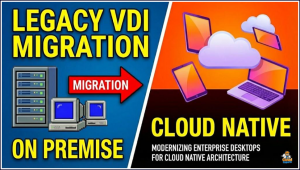 Organizations are increasingly transitioning from traditional on-premises or legacy Virtual Desktop Infrastructure (VDI) solutions to cloud-native platforms.
Legacy systems like Citrix, while once dominant, are facing scrutiny due to escalating costs, complex maintenance, and limited scalability in hybrid work environments.
Microsoft offers compelling alternatives with Azure Virtual Desktop (AVD) and Windows 365 Cloud PC, providing seamless integration with the Microsoft ecosystem, enhanced security, and flexible scaling. However, migrations can be fraught with challenges such as user profile transfers, application compatibility, and resource optimization.
This is where Liquidware, a leader in digital workspace management, plays a pivotal role. By leveraging tools like ProfileUnity, FlexApp, Stratusphere UX, and CommandCTRL, Liquidware streamlines the process, reducing downtime and costs while ensuring a superior user experience.
The Shift from Legacy VDI to Microsoft Cloud Solutions
Legacy VDI platforms, such as Citrix Virtual Apps and Desktops, have long enabled remote access to applications and desktops. These solutions typically rely on on-premises infrastructure or hybrid setups, involving components like Citrix Studio for management and HDX protocols for delivery. While effective, they often incur high licensing fees, require specialized expertise, and struggle with modern demands like AI-driven workloads or zero-trust security.
In contrast, Microsoft Azure Virtual Desktop (AVD) is a cloud-based Desktop-as-a-Service (DaaS) offering that virtualizes Windows desktops and apps on Azure infrastructure.
It supports multi-session Windows 11 for cost-efficient scaling, integrates natively with Microsoft Entra ID (formerly Azure AD), and leverages Azure’s global data centers for low-latency access. Windows 365 Cloud PC extends this further by providing persistent, personalized cloud PCs accessible from any device, with built-in management via Microsoft Intune.
These solutions eliminate the need for on-premises hardware, reduce capital expenditures, and align with Microsoft’s broader productivity suite, including Teams and Office 365.
Motivations for migration include cost savings—Citrix renewals have seen significant price hikes—and strategic alignment with Microsoft’s ecosystem. For instance, organizations using Microsoft 365 can consolidate licensing under Windows 365 Enterprise, avoiding redundant fees. Real-world examples show migrations reducing IT overhead by up to 90% in application testing and deployment.
Key Challenges in VDI Migration
Migrating from Citrix to AVD or Windows 365 involves more than just lifting and shifting workloads. Common hurdles include:
- User Profiles and Data Migration: Transferring user settings, files, and preferences without disruption. Citrix User Profile Management (UPM) profiles may not directly translate to Microsoft’s FSLogix, leading to data loss or performance issues.
- Application Delivery and Compatibility: Legacy apps might require repackaging or layering, especially if tied to Citrix-specific optimizations. Maintaining “golden images” becomes cumbersome in multi-user environments.
- Environment Sizing and Optimization: Overprovisioning resources leads to unnecessary Azure costs, while underprovisioning causes poor performance. Assessing current usage and forecasting needs is critical.
- Monitoring and Remediation: Ensuring post-migration user experience (UX) remains high, with tools for real-time diagnostics and support.
- Integration with Management Tools: Enhancing Microsoft Intune for advanced app and profile control in hybrid setups.
Without proper tools, these challenges can extend timelines from weeks to months, increasing risks of user dissatisfaction.
Liquidware’s Role in Facilitating a Smooth Migration
Liquidware specializes in transforming Windows workspaces, offering solutions that complement Microsoft AVD and Windows 365. Their suite addresses migration pain points through automation, visibility, and optimization, potentially cutting migration time by 50% and saving 20-40 IT hours per incident. Key products include:
- ProfileUnity: This tool centralizes user and app management with automated profile migrations. It supports granular, context-aware policies, enabling seamless transitions from Citrix UPM to FSLogix or native Microsoft profiles. ProfileUnity ensures zero-downtime onboarding, even in Entra ID environments where traditional controls are limited.
- FlexApp: An application layering solution that decouples apps from the OS, allowing dynamic delivery without base image modifications. FlexApp reduces image sprawl—often from dozens to a handful—and supports MSIX integration for modern packaging. It’s ideal for migrating Citrix apps, as it enables “apps on demand” without restarts, enhancing security with zero-trust features.
- Stratusphere UX: Provides digital experience monitoring (DEX) with actionable insights into resource usage, app performance, and hardware longevity. It helps identify overspending on unused apps or oversized instances in AVD/Windows 365 setups.
- CommandCTRL: Offers real-time session insights, playback, and remote support, accelerating issue resolution during and after migration.
Liquidware integrates with partners like Nerdio for automated AVD deployments, further simplifying the process.
How to Size Microsoft AVD & Windows 365 Environments
Proper sizing is foundational to cost-effective migrations. Liquidware’s Stratusphere UX excels here by analyzing existing Citrix environments to baseline usage metrics like CPU, memory, and IOPS. This data informs Azure VM selections—e.g., opting for D-series for general workloads or N-series for GPU-intensive ones—avoiding overprovisioning that can inflate bills by 30-50%.
In their guide “How to Size Microsoft AVD & Windows 365 Environments,” Liquidware outlines a methodology: Collect telemetry from current setups, simulate cloud workloads, and optimize for multi-session hosts. This results in right-sized pools, with recommendations for autoscaling via Azure Logic Apps or third-party tools. Organizations using this approach report cleaner environments, eliminating redundant licenses and unused apps.
Enhancing Microsoft Intune with FlexApp & ProfileUnity
Microsoft Intune is powerful for endpoint management but lacks native depth in app layering and real-time policy enforcement. Liquidware bridges this gap: FlexApp enables zero-install app delivery, integrating with Intune for faster deployments via Win32 packages or MSIX. ProfileUnity adds environment personalization, managing large profiles with ProfileDisks and enforcing policies in real-time.
The solution brief “Enhancing Microsoft Intune with FlexApp & ProfileUnity” details how this combination accelerates Windows 11 migrations, supports offline use, and reduces management complexity. For AVD/Windows 365, it ensures apps are securely attached from Azure storage, compatible with Intune’s compliance checks. Deployment involves wrapping Liquidware clients as Intune packages, with dependencies for runtime installers.
A Step-by-Step Migration Framework with Liquidware
- Assessment Phase: Use Stratusphere UX to audit Citrix environments, identifying app usage and profile sizes. Migrate profiles via ProfileUnity’s automation tools.
- Planning and Sizing: Apply Liquidware’s sizing guide to design AVD host pools or Windows 365 configurations. Integrate with Azure Migrate for VM assessments.
- Application and Profile Migration: Layer apps with FlexApp, converting Citrix packages if needed. ProfileUnity handles user data transfers, supporting hybrid identities.
- Deployment and Testing: Provision AVD/Windows 365 via Microsoft portals or Nerdio, enhanced by Liquidware for Intune integrations. Test with CommandCTRL for UX validation.
- Optimization and Monitoring: Post-go-live, use Stratusphere UX for ongoing DEX, adjusting resources dynamically to maintain performance.
This framework minimizes risks, with many organizations achieving seamless cutovers in days rather than months.
Conclusion
Migrating to Microsoft AVD or Windows 365 with Liquidware not only modernizes your digital workplace but also unlocks efficiencies in cost, management, and user satisfaction. By addressing core migration challenges through innovative tools, Liquidware ensures a future-proof transition from legacy VDI like Citrix.
For organizations eyeing this shift, starting with a Liquidware assessment can illuminate the path forward, transforming potential pitfalls into strategic advantages.